Category: ERPNext

  • How ERPNext Enables Cost-Effective DigitalTransformation for SMEs in Oman

    How ERPNext Enables Cost-Effective DigitalTransformation for SMEs in Oman

    Small and medium-sized enterprises (SMEs) are the backbone of Oman’s growing economy. However, many local businesses face challenges in managing operations, data, and resources efficiently.

    This is where ERPNext plays a transformative role, offering a cost-effective ERP solution in Oman that simplifies processes, reduces costs, and boosts business performance.

    1. Why Digital Transformation Matters for Omani SMEs

    In today’s competitive market, SMEs in Oman need to digitize their operations to stay ahead. Manual processes, disconnected systems, and limited visibility often hinder growth.
    Digital transformation enables businesses to:

    • Automate routine tasks
    • Improve accuracy and data visibility
    • Enhance productivity and collaboration
    • Make smarter, data-driven decisions

    With the right ERP system like ERPNext, SMEs can achieve these goals without heavy financial investment.

    2. ERPNext: Affordable and Scalable ERP Solution

    ERPNext Oman is one of the most affordable open-source ERP systems designed to help small and medium businesses embrace digital transformation. Unlike traditional ERP software that comes with high license fees, ERPNext offers both cloud and on-premise deployment options, making it flexible and budget-friendly.

    Key Features:

    • Comprehensive modules: Accounting, HR, Sales, CRM, Manufacturing, Inventory, and more
    • Real-time reporting and analytics
    • Multi-company and multi-currency support
    • Mobile access for remote management
    • Easy customization for different business types

    3. Cost-Effective Implementation and Maintenance

    One of the biggest advantages of ERPNext for SMEs in Oman is its low implementation and maintenance cost.

    • No expensive licenses: As an open-source platform, it eliminates hefty licensing fees.
    • Minimal IT infrastructure: Cloud-based ERPNext requires limited hardware investment.
    • Lower customization costs: The platform allows in-house teams to make simple changes easily.

    This cost efficiency helps Omani SMEs invest more in growth areas like marketing, workforce development, and innovation.

    4. Streamlined Operations and Improved Efficiency

    ERPNext automates multiple business functions under one unified system, reducing manual errors and duplication.
    With real-time data access, business owners in Oman can:

    • Track performance across departments
    • Monitor expenses and profits instantly
    • Manage customers and suppliers efficiently
    • Ensure timely decision-making with analytics dashboards

    This integration enhances overall productivity and creates a smoother workflow across the organization.

    5. Supporting Oman Vision 2040

    Oman’s national vision focuses on economic diversification and digital innovation. ERPNext supports these goals by enabling local SMEs to transition into digital-first organizations.
    It empowers businesses to modernize operations, maintain compliance, and compete effectively in regional and global markets—without the financial burden of enterprise-grade ERP systems like SAP or Oracle.

    6. Local Customization for Omani Businesses

    ERPNext can be tailored to meet the unique needs of Omani businesses—whether it’s Arabic language support, tax configuration, or industry-specific workflows. Local ERP service providers in Oman also offer custom implementation and ongoing support, ensuring a smooth digital journey for SMEs.

    Conclusion

    ERPNext stands out as the most cost-effective ERP solution for SMEs in Oman, enabling true digital transformation through automation, scalability, and affordability. By adopting ERPNext, Omani businesses can streamline their operations, reduce costs, and achieve sustainable growth aligned with Oman Vision 2040.

  • Why ERP Solutions are a Game-Changer for SMEs in Oman

    Why ERP Solutions are a Game-Changer for SMEs in Oman

    Small and Medium-sized Enterprises (SMEs) are the lifeblood of Oman’s economy, driving innovation, creating jobs, and fostering diversification. However, in today’s fast-paced digital era, simply having a great product or service isn’t enough. Many Omani SMEs face common challenges: disconnected systems, manual data entry, lack of real-time insights, and difficulties scaling operations. These inefficiencies can stifle growth and limit competitiveness.

    Enter Enterprise Resource Planning (ERP) solutions. Far from being exclusive to large corporations, modern ERP Solutions Oman are proving to be a revolutionary force for smaller businesses. This article explores why adopting an ERP system is not just an upgrade, but a true game-changer for SMEs across Oman.

    The “Game-Changer” Explained: What ERP Brings to SMEs in Oman

    At its core, an ERP system integrates all facets of your business – from finance and HR to inventory and sales – into a single, unified software platform. This integration is where the “game-changing” magic happens, offering a suite of benefits specifically tailored to the needs of SMEs in Oman.

    1. Unprecedented Operational Efficiency

    One of the most immediate and significant ERP benefits Oman SMEs experience is a drastic improvement in efficiency. By automating routine tasks like invoicing, order processing, and inventory updates, an ERP frees your team from mundane, time-consuming administrative work. This directly leads to business efficiency Oman, allowing staff to focus on strategic activities that drive growth and customer satisfaction.

    2. Real-Time Insights for Smarter Decisions

    Imagine having an instant, comprehensive overview of your business’s health at your fingertips. That’s what an ERP provides. Centralized data means you can access accurate, real-time reports on sales performance, cash flow, inventory levels, and production efficiency. This enables Oman business operations to be managed with data-driven insights, allowing you to make faster, more informed decisions that can pivot your strategy ahead of competitors.

    3. A Foundation for Sustainable Growth (SME Growth Oman)

    For any SME with ambitions to scale, an ERP system is non-negotiable. Traditional, disparate systems struggle under increased volume, leading to errors and delays. A robust ERP for SMEs Oman provides a scalable architecture that can effortlessly handle increased transactions, more complex workflows, and a growing workforce. It’s the framework that supports SME growth Oman, ensuring your infrastructure doesn’t become a bottleneck.

    4. Enhanced Customer Satisfaction & Relations

    An ERP impacts every customer touchpoint. From faster order processing and accurate inventory checks to streamlined customer service inquiries and personalized marketing, an integrated system improves the overall customer experience. Knowing exactly what’s in stock, where an order is, or a customer’s history means you can provide superior service, building loyalty and positive word-of-mouth.

    5. Driving Digital Transformation Oman

    The world is digital, and Oman is no exception. Implementing integrated business software Oman like an ERP is a fundamental step in your digital transformation journey. It connects your online sales, your back-office operations, your marketing efforts, and your customer service, creating a cohesive digital ecosystem. This positions your SME to fully embrace e-commerce, digital marketing, and other advanced technologies.

    Key Features of Game-Changing ERP Solutions for Omani SMEs

    When evaluating ERP Solutions Oman, look for systems that offer:

    • Financial Management: Robust accounting, budgeting, and financial reporting aligned with Omani regulations.
    • Inventory & Supply Chain: Real-time tracking, optimized ordering, and efficient warehouse management.
    • Customer Relationship Management (CRM): Tools to manage leads, sales pipelines, and customer interactions effectively.
    • Human Resources (HR): Payroll, employee records, and performance management.
    • Reporting & Analytics: Customizable dashboards and reports for actionable insights.
    • Scalability & Customization: The ability to grow with your business and adapt to unique needs.
    • Cloud Capability: Many Cloud ERP Oman options offer flexibility, accessibility, and lower upfront IT costs.

    Choosing the right ERP implementation Oman partner is equally vital to ensure smooth integration and ongoing support.

    Conclusion: Seize the Future with ERP

    For SMEs in Oman, the choice is clear: embrace digital transformation or risk being left behind. ERP Solutions Oman are more than just software; they are strategic investments that empower small and medium businesses to achieve unparalleled operational efficiency, make smarter decisions, and unlock significant growth potential.

    By leveraging an integrated ERP system, Omani SMEs can streamline their processes, enhance their competitive edge, and contribute more effectively to the nation’s economic progress. It’s truly a game-changer that can redefine your business’s future.

  • ERPNext for Retail: Seamlessly Integrating Point of Sale (POS) and Inventory Management

    ERPNext for Retail: Seamlessly Integrating Point of Sale (POS) and Inventory Management

    In today’s fast-paced retail world, efficiency, accuracy, and seamless operations are key to staying competitive. Retailers often struggle with managing multiple systems — one for sales, another for inventory, and yet another for accounting or reporting. This fragmentation leads to data duplication, poor visibility, and slow decision-making.

    Enter ERPNext, a comprehensive open-source ERP platform that unifies business operations into a single, cohesive system. One of its most powerful combinations is the integration of Point of Sale (POS) and Inventory Management — a true game changer for modern retail businesses.

    This article explores how ERPNext bridges the gap between front-end sales and back-end operations, ensuring smooth, automated, and intelligent retail management.


    Why Integration Between POS and Inventory Matters

    In a typical retail setup, POS and inventory often function as separate systems. While the POS handles billing, customer transactions, and receipts, the inventory management system keeps track of stock levels, product movement, and reordering. When these two systems don’t communicate effectively, retailers face several issues:

    • Stock mismatches: Sales data may not immediately reflect in inventory counts.
    • Delayed decision-making: Managers can’t access real-time stock availability or sales trends.
    • Human errors: Manual data entry between systems increases the chance of mistakes.
    • Poor customer experience: Customers may find products “available” in the system but “out of stock” in reality.

    With ERPNext, these challenges are eliminated. The POS and Inventory modules work hand in hand, sharing real-time data and automating every transaction update.


    Understanding ERPNext’s POS Module

    ERPNext’s Point of Sale module is designed for speed, simplicity, and offline readiness. It enables retailers to handle transactions seamlessly — whether it’s a supermarket, clothing boutique, pharmacy, or electronics store.

    Key Features of ERPNext POS:

    1. Offline Mode
      The POS can work even when the internet connection is down. Once connectivity is restored, all transactions automatically sync with the central ERPNext database.
    2. Quick Checkout Process
      The interface is clean and optimized for quick sales. Products can be searched by name, barcode, or SKU. Discounts, taxes, and loyalty points can be applied instantly.
    3. Multi-Store and Multi-User Support
      ERPNext supports multiple retail outlets, each with its own POS profile, cashiers, and permissions. This allows business owners to monitor performance across branches from a single dashboard.
    4. Customer and Loyalty Management
      Every transaction can be linked to a customer profile, allowing retailers to track purchase history, reward loyal customers, and run targeted promotions.
    5. Integrated Payments
      The POS supports various payment methods — cash, card, credit, or digital wallets. Payments are automatically reconciled with accounting entries in ERPNext.
    6. Real-Time Sync with Inventory
      As soon as a sale is made, the system instantly updates the stock levels in the warehouse or retail location, keeping the inventory accurate at all times.

    ERPNext’s Inventory Management: Precision and Control

    Behind every successful retail operation lies an efficient inventory management system. ERPNext’s Inventory module offers full control over stock movements, product tracking, and valuation.

    Core Capabilities of ERPNext Inventory Management:

    1. Real-Time Stock Updates
      Every sale, purchase, return, or stock transfer immediately reflects in the system. Retailers can monitor stock levels across all locations without manual intervention.
    2. Multi-Warehouse Management
      Manage stock across multiple stores, warehouses, or franchise locations. ERPNext ensures visibility and traceability for every product movement.
    3. Automatic Reorder Levels
      You can set minimum stock thresholds for each item. When the quantity drops below the limit, ERPNext automatically creates a purchase request or purchase order.
    4. Batch and Serial Number Tracking
      Perfect for businesses selling perishable or serialized products, such as food, medicine, or electronics. ERPNext tracks expiry dates and warranty periods effortlessly.
    5. Stock Valuation and Costing Methods
      ERPNext supports FIFO, LIFO, and Moving Average costing, giving flexibility in how inventory value is calculated.
    6. Barcode and SKU Management
      The system supports barcode printing and scanning for faster item lookups, reducing checkout time and human error.

    Seamless Integration: How POS and Inventory Work Together in ERPNext

    The true strength of ERPNext lies in the real-time synchronization between POS and Inventory modules. Let’s explore how this integration benefits retail operations step by step.

    1. Instant Stock Deduction

    When a cashier completes a sale through the POS, the system automatically reduces the sold quantity from the relevant warehouse or store inventory. There’s no need to manually update the stock — ERPNext does it instantly.

    2. Accurate Financial Records

    Every POS transaction generates corresponding accounting entries in ERPNext. This ensures that your books are always up to date, linking sales, stock, and financial data seamlessly.

    3. Centralized Data Access

    Whether you have one outlet or ten, ERPNext centralizes all POS and inventory data. Business owners can monitor stock levels, sales, and profits across branches in real time.

    4. Automated Reordering

    When stock levels reach the minimum threshold after several sales, ERPNext automatically triggers a reorder. This ensures that shelves are never empty, and customers always find what they’re looking for.

    5. Sales Insights and Reporting

    Because all data is stored in one system, ERPNext can generate detailed reports — best-selling products, slow-moving stock, peak hours, and profitability by location — empowering managers to make data-driven decisions.


    Real-World Benefits for Retailers

    ERPNext’s unified POS and Inventory management doesn’t just streamline operations; it transforms how retailers do business.

    1. Improved Accuracy

    Since all transactions automatically update inventory and financial data, there’s minimal room for manual errors.

    2. Faster Operations

    Cashiers process transactions faster, and store managers spend less time reconciling data.

    3. Better Stock Visibility

    With real-time data, retailers can track which items sell fastest, which stores need replenishment, and which products are underperforming.

    4. Enhanced Customer Experience

    Customers benefit from shorter checkout lines, accurate billing, and availability of their favorite products.

    5. Informed Business Decisions

    The system’s detailed analytics give business owners the confidence to plan promotions, pricing, and procurement strategies effectively.

    6. Scalability

    As your retail business grows, ERPNext grows with you. You can easily add new stores, POS terminals, and product lines without complex reconfiguration.


    Example Scenario: A Multi-Branch Retail Store

    Imagine a clothing retailer with three branches in Oman — Muscat, Sohar, and Salalah. Each branch runs its own POS terminal, but all are connected to the same ERPNext system.

    • A sale in the Muscat branch immediately reduces the local stock.
    • The system checks if stock levels are nearing the reorder point.
    • If they are, a purchase request is generated and sent to the supplier.
    • The business owner can log into ERPNext from anywhere to view total sales, profit margins, and stock movement across all branches.

    This complete operational transparency allows retailers to manage expansion confidently while maintaining control and accuracy.


    Key Takeaways

    • Unified System: ERPNext integrates POS, Inventory, and Accounting into one cohesive platform.
    • Real-Time Updates: Every sale, purchase, or return reflects instantly across all modules.
    • Offline Capability: POS can work without an internet connection and sync later.
    • Multi-Store Support: Perfect for chain stores or franchise-based retailers.
    • Automation: From stock updates to purchase requests, ERPNext automates repetitive tasks.
    • Data-Driven Insights: Generate powerful reports for informed decision-making.

    Why ERPNext is the Future of Retail ERP

    ERPNext stands out because it’s open-source, customizable, and cost-effective compared to traditional ERP systems. Retailers don’t have to rely on multiple disconnected software solutions — everything from billing to bookkeeping is handled in one place.

    Its intuitive interface, combined with mobile accessibility and cloud deployment options, makes it a flexible choice for small and large retailers alike.

    Whether you’re running a boutique, a supermarket, or a multi-branch retail chain, ERPNext ensures that your POS, inventory, and financials work together seamlessly — saving time, reducing errors, and improving profitability.


    Final Thoughts

    In a retail landscape where agility and accuracy define success, ERPNext’s seamless integration of POS and Inventory Management empowers retailers to operate smarter, not harder. By bridging the gap between sales and stock, it eliminates inefficiencies, improves visibility, and delivers an exceptional customer experience.

    If your retail business still juggles multiple systems, it’s time to switch to a unified ERP platform that grows with you — ERPNext, the smarter way to run retail.

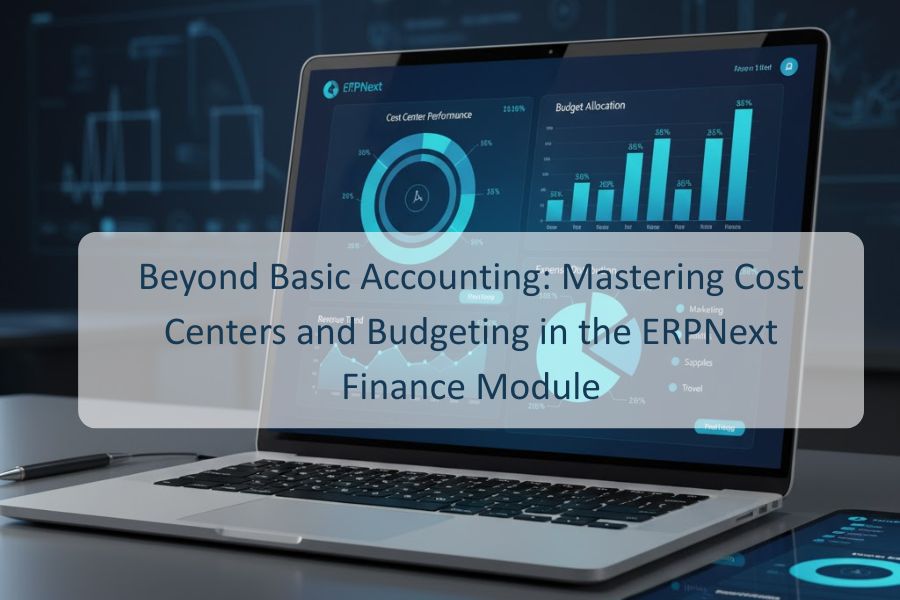
  • Beyond Basic Accounting: Mastering Cost Centers and Budgeting in the ERPNext Finance Module

    Beyond Basic Accounting: Mastering Cost Centers and Budgeting in the ERPNext Finance Module

    I. Introduction: The Leap from Compliance to Control

    For most businesses, accounting starts and ends with compliance. We track our sales, record our expenses, and generate reports to satisfy tax authorities and investors. This tells us what happened last month or last quarter—but does it truly tell us where the money went and why?

    If your finance module is only a rearview mirror, you are missing out on the power of proactive financial management.

    This is where the true strength of the ERPNext Finance Module shines. By leveraging two core tools—Cost Centers and Budgeting—you can shift your accounting function from a historical recorder to a real-time strategic control panel. Mastering these features allows you to understand the profitability of every department, project, and location, setting the stage for smart, data-driven growth.

    II. Cost Centers: The GPS of Your Spending 🧭

    Imagine your company’s spending as traffic on a complex highway system. Basic accounting shows the total volume of traffic, but it can’t tell you which exit the spending took. Cost Centers act as the GPS, providing the precise location for every dollar spent.

    A Cost Center in ERPNext is simply an organizational unit that incurs costs. This could be:

    • A Department: Marketing, R&D, Sales, Administration.
    • A Project: “Website Redesign,” “New Product Launch Alpha.”
    • A Region: “North America Sales Office,” “APAC Operations.”

    How to Use Them in ERPNext

    The process begins by setting up a Cost Center Tree within the ERPNext system. This hierarchy allows you to roll up expenses. For example, “Marketing” can be a parent center, with “Digital Ads,” “Content Creation,” and “Events” as child centers underneath it.

    Once the tree is defined, every financial transaction must be tagged:

    • When you process a Purchase Invoice for office supplies, you tag it to the “Administration” Cost Center.
    • When you create a Journal Entry to allocate salaries, the wages for the engineers are tagged to “R&D.”

    The value is immense: you move from seeing a single, large expense line item (e.g., “Total Salaries: $50,000”) to granular, actionable data (e.g., “R&D Salaries: $30,000,” “Sales Salaries: $15,000,” etc.). This enables true profitability analysis where managers are empowered with ownership over their budget.

    III. Budgeting: Setting the Financial North Star ⭐

    Knowing where your money is going is only half the battle; you also need to know where it should be going. That’s the role of the Budgeting tool.

    In ERPNext, budgeting goes beyond setting simple targets for your general ledger accounts (e.g., “We will spend $10,000 on Travel”). The power lies in the ability to allocate those targets by the specific Cost Center and Fiscal Year.

    Imagine a scenario where the “Marketing” department is planning for the year. They need to allocate money across various expense accounts.

    The ERPNext Budgeting Advantage

    Instead of a static spreadsheet, the ERPNext Budget tool allows you to create a Budget record that specifies:

    1. Fiscal Year: The period of the budget (e.g., 2025).
    2. Cost Center: The specific unit this budget applies to (e.g., “Marketing – Digital Ads”).
    3. Accounts: The specific ledger accounts (e.g., “Advertising Expenses,” “Software Subscriptions”).
    4. Target Amount: The planned amount for each account and cost center combination.

    You can further distribute this annual figure monthly using the Budget Monthly Distribution tool, smoothing out seasonal spikes and allowing for highly accurate, month-by-month tracking. This process transforms your annual plan into a dynamic financial blueprint for every manager in your organization.

    IV. The Closed Loop: Analysis and Control 🔄

    The real magic happens when Cost Centers and Budgets fuse together. The Cost Center provides the actual spend data (the “what is”), and the Budget provides the planned target (the “what should be”). ERPNext continuously compares these two in real-time.

    Key ERPNext Reports

    1. Budget Variance Report: This is your primary monitoring tool. It immediately shows you the difference between your budgeted amount and the actual expenses, broken down by Cost Center and Account. A quick glance can reveal if the “Events” Cost Center is overspending on the “Travel” account, allowing for immediate corrective action.
    2. Profitability Analysis Report: For Cost Centers that also generate revenue (like a “Consulting Services” department), this report provides the ultimate metric: Income – Expenses = Profit/Loss for that specific center. This is invaluable for deciding which business lines to invest in or scale back.

    Proactive Budgetary Control

    Beyond just reporting, ERPNext allows you to implement proactive control. By setting specific Budget Limitations within the system, you can configure it to:

    • Issue a Warning: Alert the Cost Center manager and the finance team when an expense pushes an account over 80% of its budget.
    • Prevent Transaction: Automatically stop the submission of a Purchase Order or Journal Entry if it would cause the Cost Center to exceed its allocated budget.

    This level of control ensures that spending stays within the “lanes” you have defined, eliminating end-of-quarter surprises and empowering managers with clear, boundaries.

    V. Conclusion & Next Steps 💡

    Mastering the use of Cost Centers and Budgeting transforms the ERPNext Finance Module from a mere record-keeping tool into a sophisticated engine for organizational success. You stop managing finances based on historical aggregates and start managing them based on real-time, granular performance.

    This is the shift from compliance to competitive advantage.

    Don’t wait for your next annual audit to discover where your profitability lags. Start small: define three key Cost Centers (e.g., your three largest departments) and set up a quarterly budget for one of them. By closing the loop between planning and spending, you’ll unlock the full strategic power of ERPNext.

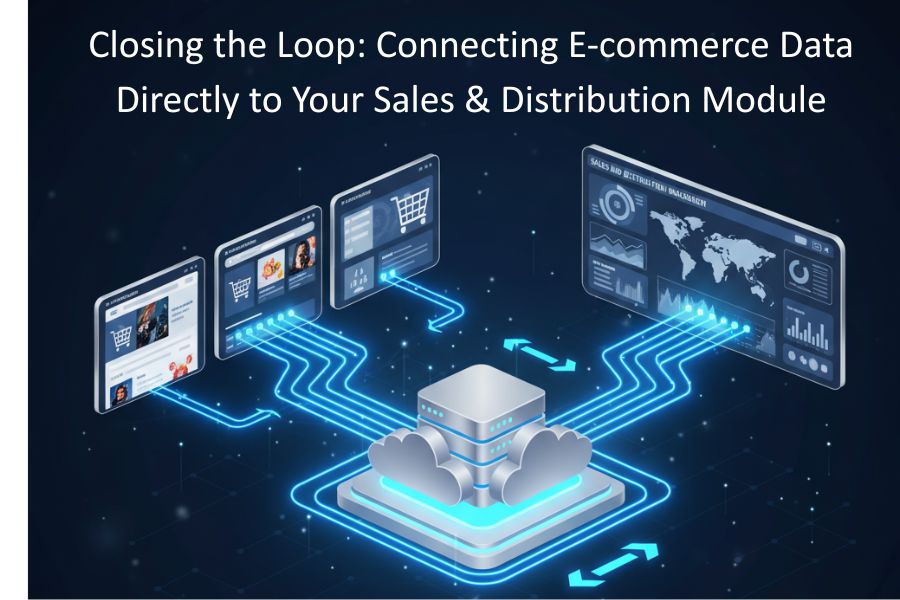
  • Closing the Loop: Connecting E-commerce/ERP Data Directly to Your Sales & Distribution Module

    Closing the Loop: Connecting E-commerce/ERP Data Directly to Your Sales & Distribution Module

    I. Introduction: The E-commerce/ERP Divide

    Every modern business knows the thrill of a customer clicking “Buy.” But for many, that excitement quickly turns into a logistical headache. As soon as the order lands in your e-commerce platform—be it Shopify, Magento, or WooCommerce—the actual work of fulfillment often grinds to a halt, hitting a digital wall.

    This wall is the disconnect between your fast-moving online storefront and the back-office engine that makes your business run: the Enterprise Resource Planning (ERP) system, specifically its Sales & Distribution (S&D) module.

    What is the S&D module? It is the brain of your operations. It handles core functions like customer and sales master data, order processing, pricing, credit checks, inventory allocation, picking, packing, shipping, and invoicing.

    When your e-commerce platform and S&D module aren’t communicating directly, you’re essentially forcing two highly efficient systems to pass notes via a tired, overworked human intermediary. Our goal today is simple: to show you how to eliminate that intermediary, achieve a seamless, automated “closed loop” system, and unlock powerful growth.

    II. The Hidden Costs of the Disconnect

    Why should you care about this integration? Because the lack of a closed loop system isn’t just an inconvenience; it’s a constant, measurable drain on your revenue and reputation.

    Imagine trying to navigate a major city with two different map apps—one for traffic and one for construction—but having to manually update one based on the other. That’s the inefficiency of non-integrated systems.

    Here are the tangible costs of manual data transfer:

    • The Cost of Human Error: Every time an order, customer address, or price is manually typed from an e-commerce printout into the ERP, there is a chance for error. A wrong quantity, a transposed address, or a missed tax code all lead to costly reshipments, chargebacks, and frustrated staff.
    • The Cost of Delayed Fulfillment: The gap between an order being placed and it being officially “received” by the S&D module often measures in hours, not minutes. If you’re manually processing orders twice a day, every order placed in between is sitting on the digital sidelines, increasing your cycle time and delaying delivery to your customer.
    • The Cost of Overselling and Stockouts: This is perhaps the most dangerous financial risk. If your ERP has one unit of an item left, but your e-commerce site doesn’t update until the end of the day, you can sell that item multiple times. Overselling leads to cancellations, backorders, and damaged brand trust. Conversely, if your e-commerce site shows a product is sold out but your ERP has received a late shipment, you suffer a stockout—lost revenue from phantom inventory.
    • The Cost of Staff Burnout: Your most valuable employees are spending their time on tedious, repetitive data entry instead of strategic tasks like optimizing the supply chain or improving the customer experience. This is a massive misuse of human capital.

    III. The Power of the Closed Loop: Four Core Benefits

    Connecting e-commerce directly to your S&D module shifts your operation from reactive to predictive. The system handles the heavy lifting, allowing your team to focus on growth.

    1. Real-Time, Trustworthy Inventory

    The core benefit of the closed loop is a single source of truth for inventory. Your S&D module knows exactly what is available, reserved, and en route. When integrated, the ERP instantly pushes the current Available-to-Promise (ATP) quantity back to the e-commerce storefront.

    • When a customer buys an item online, the order is created in the ERP within seconds, and the inventory is instantly reduced and reserved.
    • When a new shipment is received into the ERP’s warehouse module, the inventory is instantly updated on your e-commerce site, making it immediately available for sale.

    This eliminates overselling and allows you to use your inventory more aggressively, knowing the numbers are always accurate.

    2. Accurate and Consistent Pricing Across All Channels

    If your pricing logic is complex—involving tiered discounts, regional taxes, B2B volume breaks, or promotions—maintaining accuracy across multiple platforms is a nightmare.

    With integration, the S&D module becomes the Master Price List. The e-commerce site simply pulls the finalized price, including relevant discounts and local tax configurations, directly from the ERP. This guarantees that whether a customer is ordering through a sales rep (via the ERP) or an online portal (via e-commerce), they receive the exact same, compliant price.

    3. Hyper-Automated Order-to-Cash Cycle

    This is where true operational efficiency is found. A connected system automates nearly every step from the click of a button to cash collection:

    1. Order Ingestion: Order placed online $\rightarrow$ Immediately transferred to S&D as a sales order.
    2. Order Validation: S&D automatically checks customer credit, applies pricing, and allocates inventory.
    3. Warehouse Trigger: A picking request is automatically generated in the Warehouse Management System (WMS) or S&D module.
    4. Fulfillment & Shipping: Once shipped, the tracking number is automatically pushed back to the ERP.
    5. Invoicing: The ERP auto-generates the invoice and sends it to the customer/accounting system.
    6. Customer Update: The tracking number is automatically pushed back to the e-commerce platform and sent to the customer.

    This entire sequence, which could take hours of manual effort, is reduced to mere minutes.

    4. A Unified 360-Degree Customer View

    In a disconnected world, the sales team only sees orders placed through them, and the service team only sees online tickets. An integrated S&D module consolidates this data.

    All customer interactions—past website purchases, service tickets, credit status, and outstanding invoices—reside in the ERP. This means that a customer service representative answering a phone call has immediate access to the customer’s entire purchase history, regardless of the channel used, leading to faster, more personalized, and higher-quality service.

    IV. Deconstructing the Integration: How the Data Flows

    Achieving the “closed loop” involves ensuring seamless, bi-directional data flow. While the process can be complex, understanding the three primary flows simplifies the challenge:

    Flow 1: E-commerce $\rightarrow$ ERP (The Sales Trigger)

    This is the most critical flow. When a shopper clicks ‘complete purchase,’ three pieces of information must instantly move from the e-commerce system to the S&D module:

    1. Customer Data: Is it a new customer (create a new record in ERP) or a returning customer (update or use the existing record)?
    2. Sales Order Data: Items purchased, quantities, sales channel, requested ship date, and final sale price.
    3. Shipping & Payment Data: The billing/shipping address and the status of the payment (e.g., ‘paid’ or ‘pending’).

    The S&D module takes this data and converts it into a formal Sales Order, kicking off the fulfillment process.

    Flow 2: ERP $\rightarrow$ E-commerce (The Inventory & Pricing Master)

    This flow establishes the ERP as the master record for all product-related information. This is a constant stream of updates:

    • Inventory Levels: ATP quantities are pushed from S&D to the e-commerce platform, ensuring accurate stock levels for display.
    • Product Catalogs: New products, descriptions, images, and specifications can be mastered in the ERP and pushed to the website.
    • Pricing Updates: Any change in cost, an updated promotion, or a new volume-based price is instantly reflected online.

    Flow 3: ERP $\rightarrow$ Customer (The Service Confirmation)

    This flow closes the loop for the customer and is vital for service quality. After the order is processed, the S&D module pushes:

    • Order Status Updates: From ‘Processing’ to ‘Shipped’ to ‘Delivered.’
    • Tracking Information: The carrier and tracking number are automatically sent to the customer via the e-commerce system or a dedicated email trigger.
    • Invoices: The official, finalized invoice is generated by the ERP’s accounting module and delivered.

    Integration Methods: API is King

    How is this data moved? Today, the preferred method is via Application Programming Interfaces (APIs). APIs are specific digital gateways that allow systems to “talk” to each other in real-time. Instead of cumbersome, batch-file transfers that run once a day, API-based integration tools (often called Middleware or Integration Platform as a Service – iPaaS) facilitate continuous, instant data exchange. This speed is non-negotiable for competitive e-commerce.

    V. Pitfalls to Avoid: Your Integration Checklist

    While the benefits are clear, a successful integration requires careful planning. Many projects fail due to inadequate preparation.

    1. Don’t Skimp on Data Cleansing

    Your e-commerce data is only as good as the underlying ERP data. Before connecting, audit your product master data, customer records, and pricing matrices in the S&D module. If you have five versions of the same product code or outdated customer addresses, the integration will simply automate the transfer of bad data—a concept often called “garbage in, garbage out.”

    2. Test Complex Logic Rigorously (UAT)

    Integration is never just a simple transfer of data fields. You must test every complex business logic scenario in a sandbox environment:

    • How does the system handle a canceled order mid-fulfillment?
    • What happens to an online return? (It must correctly trigger the S&D’s Return Material Authorization – RMA process).
    • Does the ERP correctly apply a “buy one, get one free” discount initiated on the e-commerce site?

    Thorough User Acceptance Testing (UAT) is crucial to ensure all business rules map correctly.

    3. Map Fields and Processes, Not Just Systems

    It’s tempting to focus solely on the technical connection. However, the most important step is a process mapping exercise. You need to decide:

    • Which system is the master for Customer ID?
    • What triggers the Shipping Notification?
    • If the e-commerce system allows a user to update their address, does that update instantly flow back to the ERP customer record?

    Map every touchpoint and assign ownership (master system) for each data field.

    4. Invest in a Robust iPaaS/Middleware Platform

    Avoid custom, one-off code solutions. They are brittle and break every time your e-commerce platform or ERP is updated. Instead, leverage a dedicated Integration Platform as a Service (iPaaS) tool. These specialized tools offer pre-built connectors and a visual interface to manage complex data transformations, making maintenance and troubleshooting significantly easier.

    VI. Conclusion & Next Steps

    The age of manual data entry in back-office operations is over. For any business that is serious about multi-channel retail, the tight, closed-loop integration of e-commerce data directly with the ERP’s Sales & Distribution module is no longer a luxury—it is a competitive necessity.

    The ROI is clear: a connected system delivers lower operational costs, zero overselling, faster delivery times, and dramatically improved customer satisfaction.

    By automating the sales cycle, you move your focus from the tedious task of data transcription to the strategic work of scaling your business. The loop is waiting to be closed.

    Ready to start? Your first step should be a system audit to assess the state of your current ERP data and to identify which iPaaS solution is best suited for your e-commerce and S&D platforms.